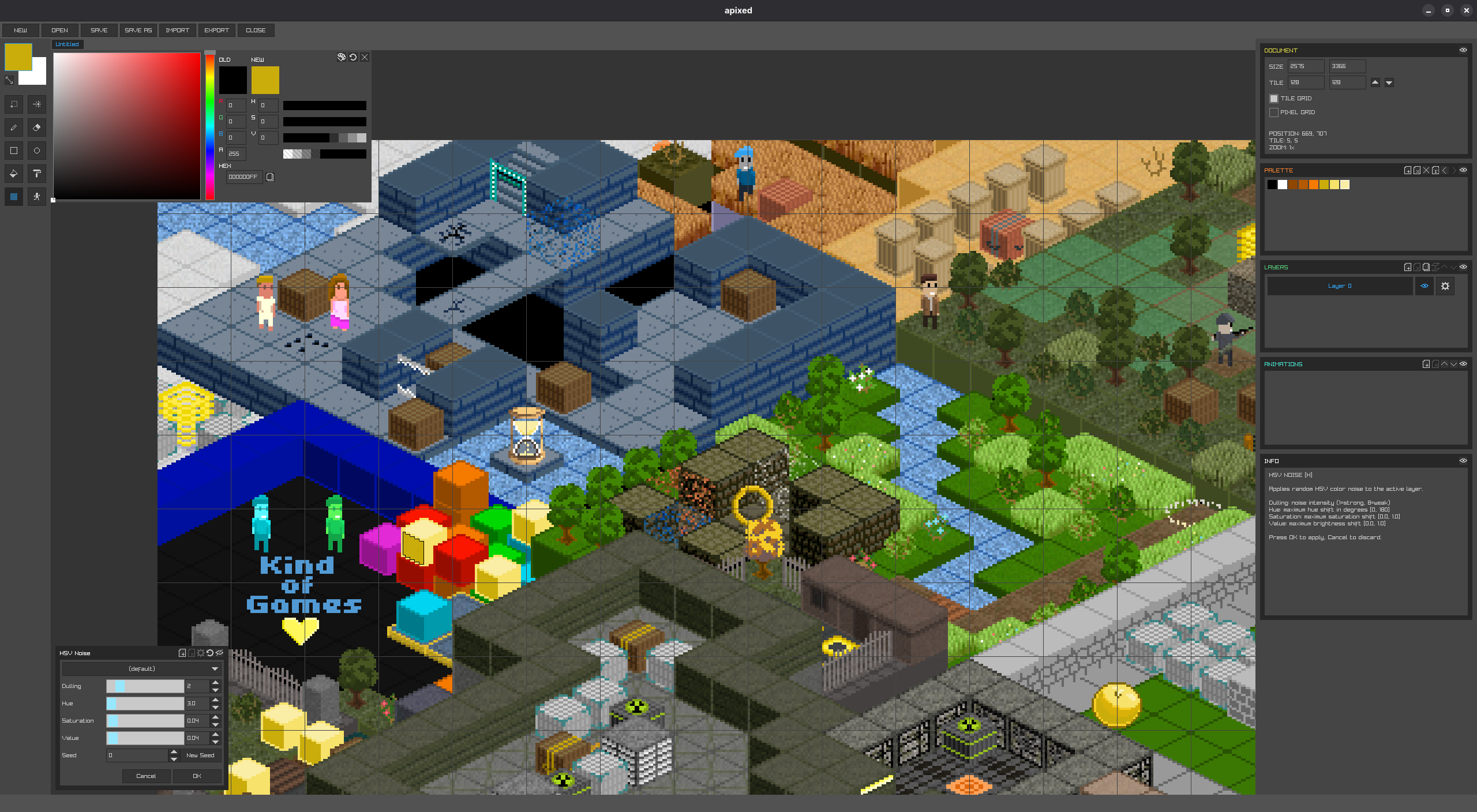
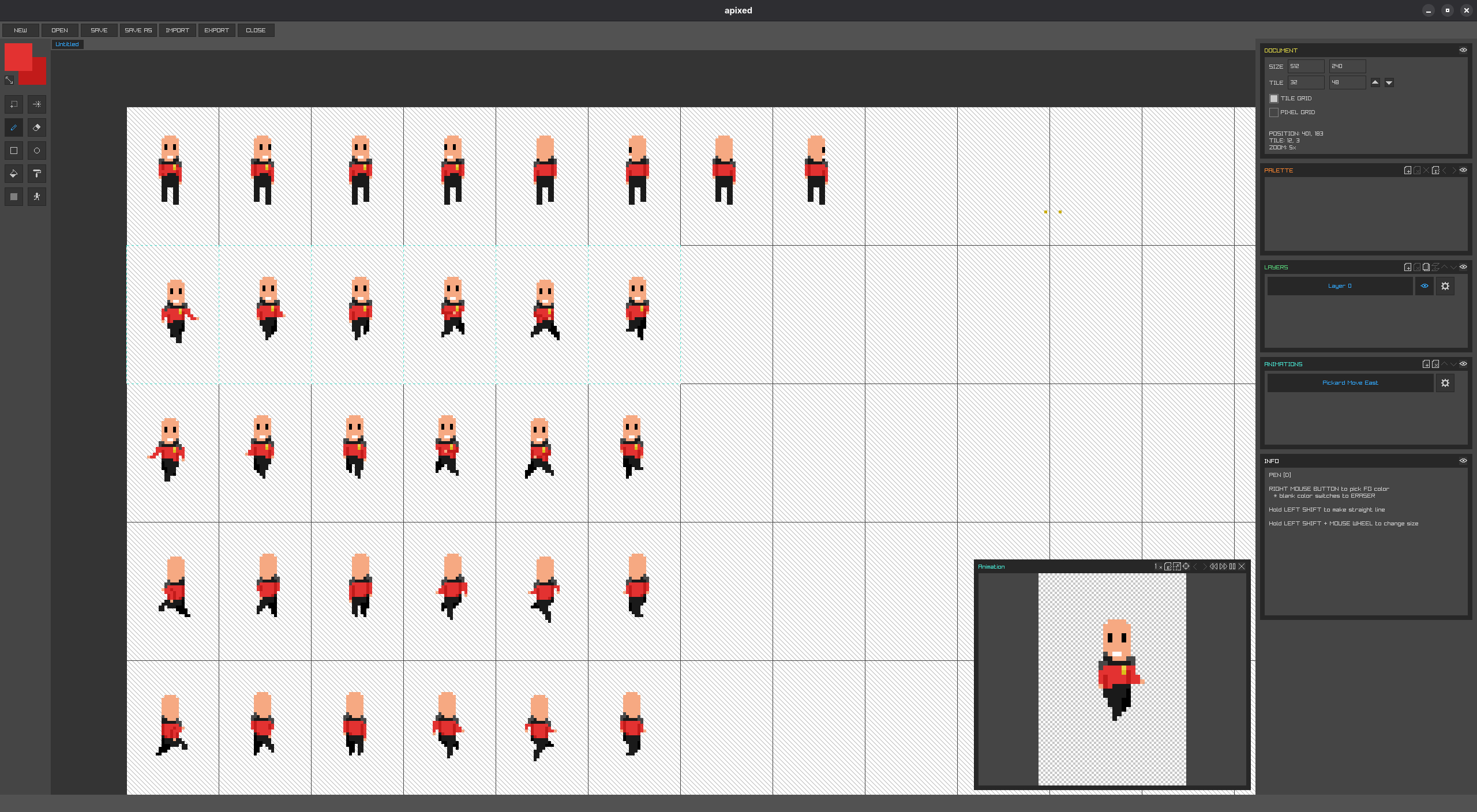
"apixed" stands for arguit's pixel editor. It is a highly opinionated pixel editor with
the functions I need, focused on working on our games
(Pushmania
and
Lost City).
I have been using Pyxel Edit for a long
time, but after almost fully migrating my workstation to Linux, I needed that kind of editor. I was also
learning Zig and
raylib, so creating my own editor was a
great opportunity to practice both.
I chose a relatively small set of functionality that I used in Pyxel Edit and also added some features from
GIMP, such as HSV noise, so I wouldn't
have to switch between the two.
František Záhora // arguit
Features
A native, cross-platform pixel-art editor built in Zig (raylib/raygui), with an embedded
Lua console for scripting. Version 0.6.X.
Document & File Management
Multiple documents open in tabs, quick-switch with Ctrl+1…Ctrl+0
New (Ctrl+N), Open (Ctrl+O), Save (Ctrl+S), Save As (Ctrl+Shift+S), Close (Ctrl+W)
Custom binary .apixed file format (versioned schema, backward-compatible readers)
Unsaved-changes confirmation on document close and app exit, listing all modified docs
Import image as new document: PNG, BMP, JPEG, QOI
Export document as image: PNG, BMP, JPEG, QOI
Export animation as GIF, with adjustable FPS and export scale (1x–32x)
Canvas size up to 4096×4096 pixels
Canvas & Viewport
Zoom toward cursor (mouse wheel / +/-), 1×–128×
Pan via middle-mouse drag
Pixel grid toggle (Ctrl+P) and tile grid toggle (Ctrl+T)
Tile-aware canvas resize (add/remove rows/columns by tile increments)
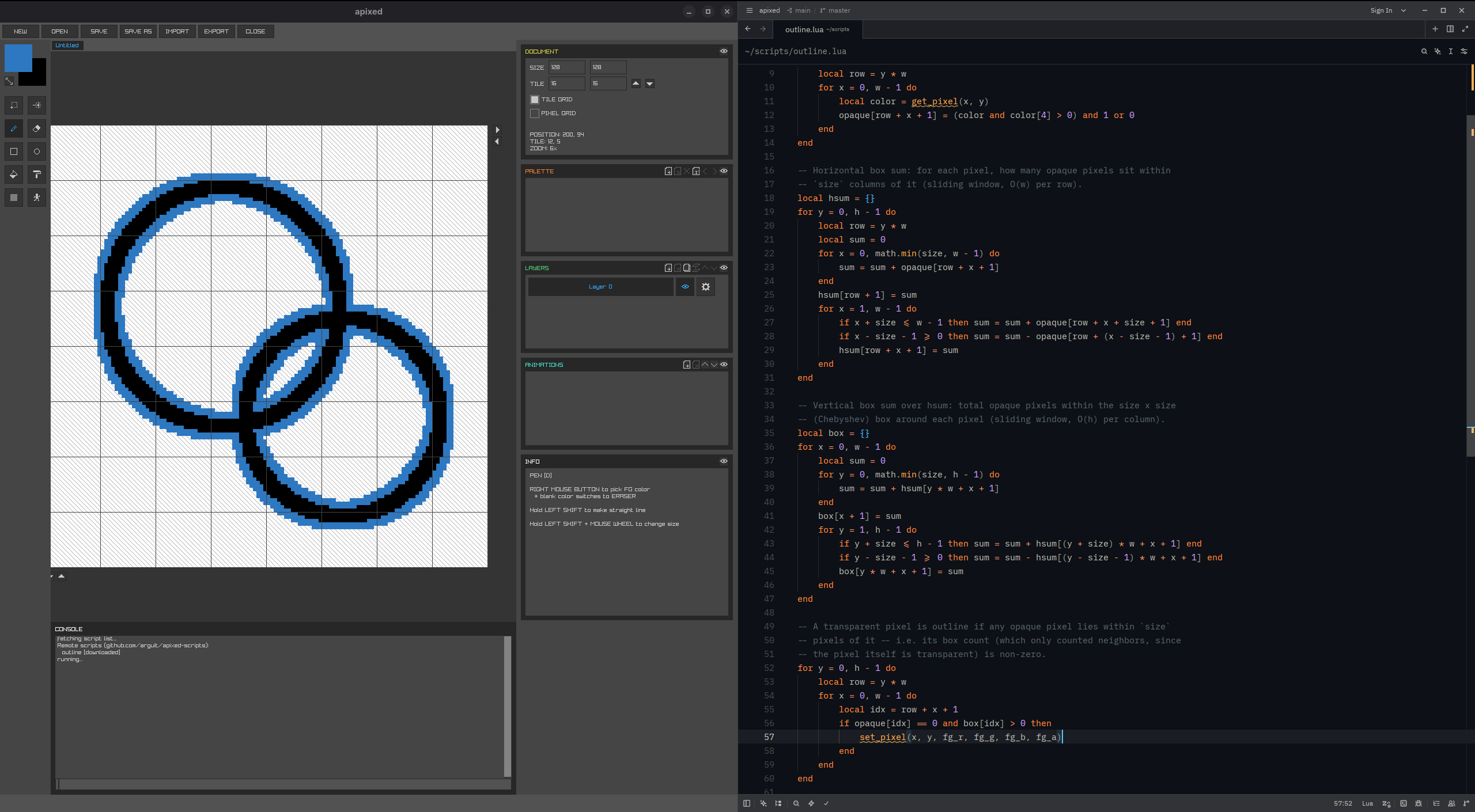
In-app developer console (Ctrl+Backtick to toggle)
Commands: /help, /version, /clear, /run <script> (downloads from the community repo first if missing locally), /stop, /api, /list, /download <script>, /update [script]
Scripts run on a background thread (UI stays responsive), with instruction-count safety limit; only one script runs at a time
Lua API for pixel/layer/selection manipulation and shape drawing (get/set pixel, layers, draw line/rect/ellipse, fill, replace color, etc.) — enables procedural generation and batch operations
/list — lists scripts available in the repo ([downloaded] / [downloaded, update available]) plus any local-only scripts in ./scripts/
/run <script> — falls back to downloading the script from the repo if it isn't found in ./scripts/ locally, then runs it
/download <script> — (re-)downloads a script from the repo, overwriting any local copy regardless of version
/update [script] — re-downloads one (or, with no name, every) previously-downloaded script that has a newer version in the repo
Network operations run on a background thread (polled once per frame), same as script execution, so the UI never blocks
Lua API
All coordinates are pixel coordinates on the active document; colors are four
0-255 component arguments (r, g, b, a), not a table.
Layer indices are 1-based (Lua convention) and get translated
internally. Functions that read/write pixels return/accept nil when out
of bounds or no document is open.
Document info
log(message) — prints to the in-app console
get_doc_w(), get_doc_h() — document dimensions in pixels
get_tile_w(), get_tile_h() — tile dimensions
Active-layer pixels
get_pixel(x, y) -> r, g, b, a | nil
set_pixel(x, y, r, g, b, a)
erase_pixel(x, y) — shorthand for set_pixel(x, y, 0, 0, 0, 0)
Layers
get_layer_count() -> count
get_layer_name(index) -> name | nil
get_layer_by_name(name) -> index | nil
get_layer_pixel(index, x, y) -> r, g, b, a | nil
set_layer_pixel(index, x, y, r, g, b, a)
erase_layer_pixel(index, x, y)
create_layer() -> index | nil — becomes the active layer
remove_layer(index) -> ok
move_layer_up(index) -> ok, move_layer_down(index) -> ok
rename_layer(index, name) -> ok
Selection (write-only mask)
select_pixel(x, y), deselect_pixel(x, y)
Shape drawing
Each runs as one whole-canvas operation and one undo step, using the same helpers the
interactive tools use; honors the active selection like the equivalent tool would.
draw_line(x0, y0, x1, y1, r, g, b, a)
draw_rectangle(x0, y0, x1, y1, r, g, b, a) — outline
draw_rectangle_filled(x0, y0, x1, y1, r, g, b, a)
draw_ellipse(x0, y0, x1, y1, r, g, b, a) — outline
draw_ellipse_filled(x0, y0, x1, y1, r, g, b, a)
fill(x, y, r, g, b, a) — flood fill from (x, y)
replace_color(r0, g0, b0, a0, r1, g1, b1, a1) — replaces one exact color with another across the document (or selection, if any)
Foreground/background color
get_fg_color() -> r, g, b, a, set_fg_color(r, g, b, a)
get_bg_color() -> r, g, b, a, set_bg_color(r, g, b, a)
Pen tool
get_pen_size() -> size, set_pen_size(size) — brush size, clamped to 1-256
This surface is enough to script procedural pixel-art generation, batch edits across
layers, and repetitive shape/fill operations that would be tedious by hand.
Feedback & UX
Status-bar notifications (info/success/error)
Contextual tooltips with keyboard shortcuts on nearly every control
Apixed isn't notarized, so macOS Gatekeeper will quarantine it as "unidentified." If it
won't open, remove the quarantine flag in Terminal (from the folder with the app):
Apixed isn't notarized, so macOS Gatekeeper will quarantine it as "unidentified." If it
won't open, remove the quarantine flag in Terminal (from the folder with the app):